Atlas — the external for Bedwars built to look and feel legit.
Atlas runs fully external, keeping your Bedwars sessions smooth while giving you legit aim, ESP, kit ESP, and more.
Built for Bedwars
Fully external
Runs outside the game process with visuals and inputs that never modify Roblox's memory.
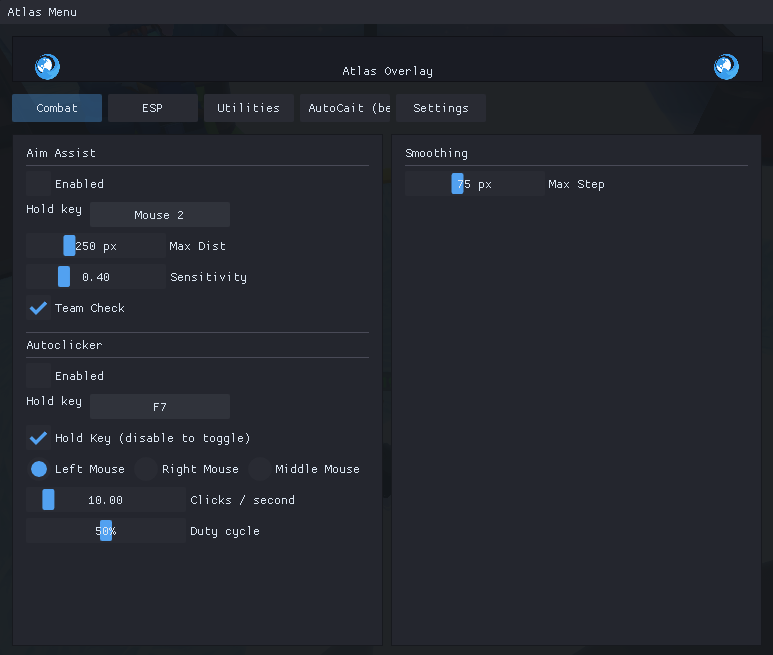
Legit aim assist
Humanized smoothing, FOV control, and prediction tuned for Bedwars hit reg that looks natural in POV or VOD.
KitESP
Shows you where objects are for kits such as Metal Detector, Star Collector Stella, and more.
Built-in autoclicker
Built-in autoclicker defaulted to 35 hits, or completely customizable.
Configs
Save all your changes and set it to autoload for every time you launch atlas.
Nearly instant updates
Updates almost instantly after Roblox's updates.
Get started in minutes
Follow the quick steps below to get Atlas running. Keep the updater on for the safest experience.
Download Atlas
Grab the latest build from this website.
Get a key
You can purchase a key from https://getatlas.cc/purchase, or you can check our discord at https://discord.gg/f5KvANTDjs
Launch Roblox
Open Roblox and launch Atlas after entering a key.
Use Atlas
Click on Roblox in your task bar, then press Insert on your keyboard to open/close the gui.
Stay off the radar
Atlas is fully external. It never injects, making it completely undetected by Roblox.
Why Atlas?
Executors risk bans and lag. Atlas stays external, minimizes computer resource usage, and gives you the best experience.
Use responsibly. Sharing/Recording your entire screen will show Atlas, but just recording Roblox will not show it. Although unlikely, aim assist on max has a chance to get you banned via clips.